Lumaref (beta)
A downloadable app for Windows, macOS, and Linux
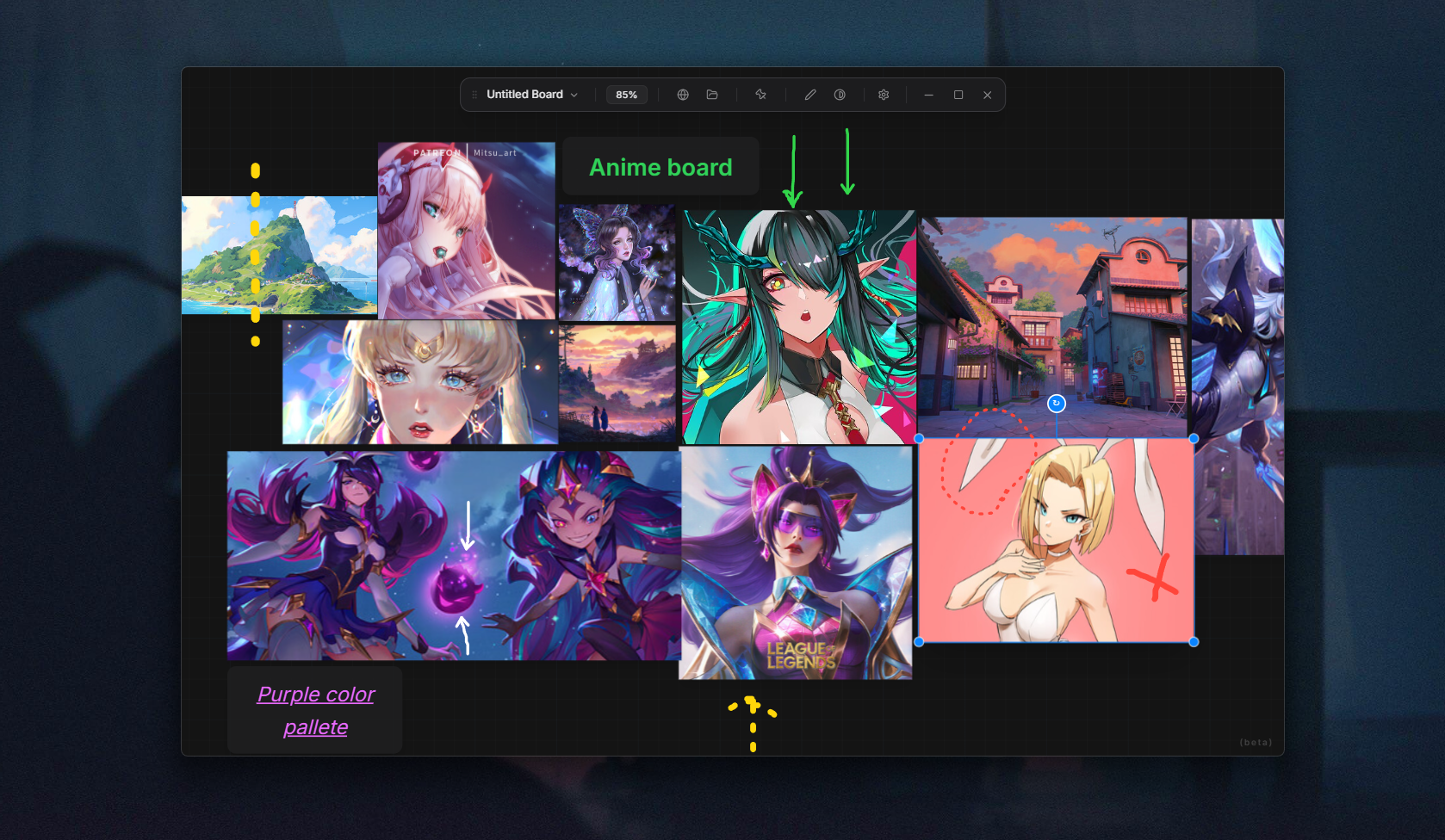
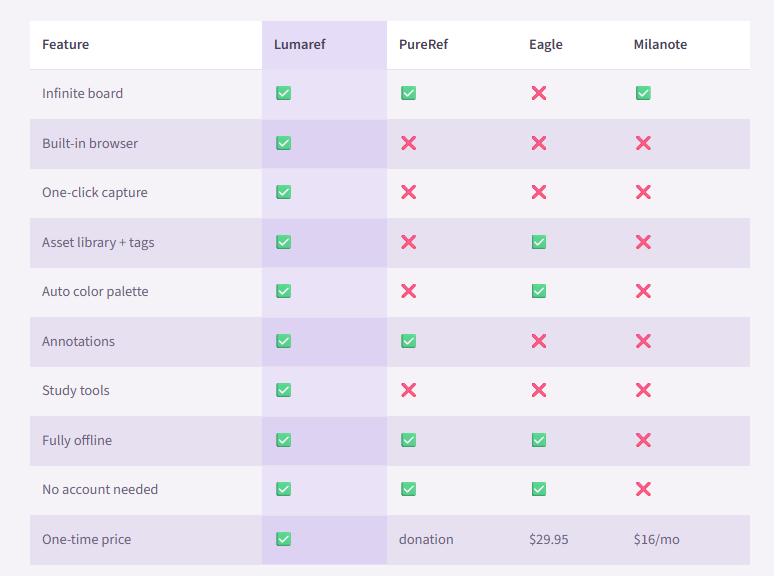
LumaRef is a NEW reference tool for artists who are tired of juggling browser tabs, image folders, and sticky notes. It completely beats Pureref, Eagle or Milanote like other apps in terms of artist focused features infact Lumaref is much more advance than them.
This tool is completely new and progress towards supporting artists by an indie dev who will maintain and get feedback personally from you and update it in future with better tools for artists.
Browse the web, capture images in one click, build a reference board, and study your work — all in one app.
No accounts. No subscription. No cloud. Your files stay on your machine in a single .lref file you can move, back up, or share anytime.
What’s inside
Infinite canvas
Pan, zoom, and arrange images freely — no grid, no limits.
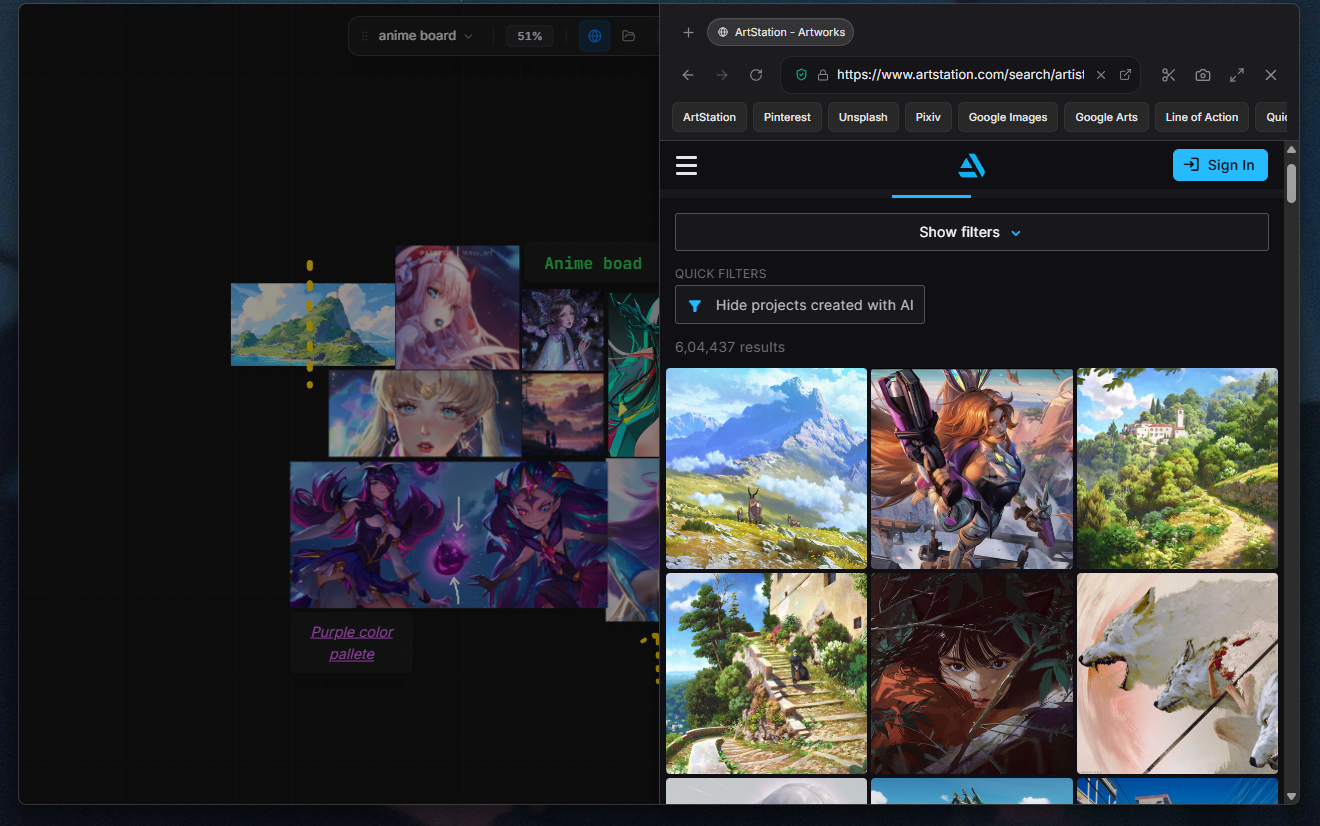
Built-in browser
Open ArtStation, Pinterest, Google Images, or any other site directly in LumaRef. Hover over an image, click once, and it lands on your board.
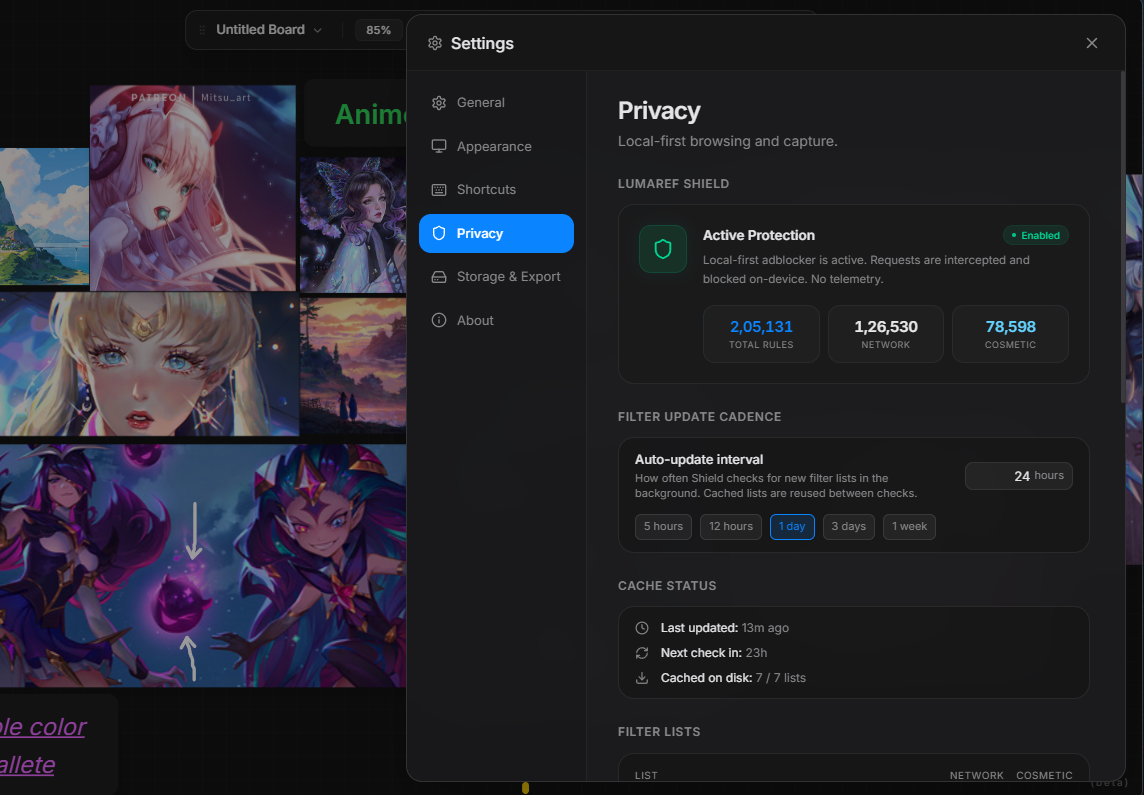
Ad blocker built in
The browser blocks ads automatically. No extension needed.
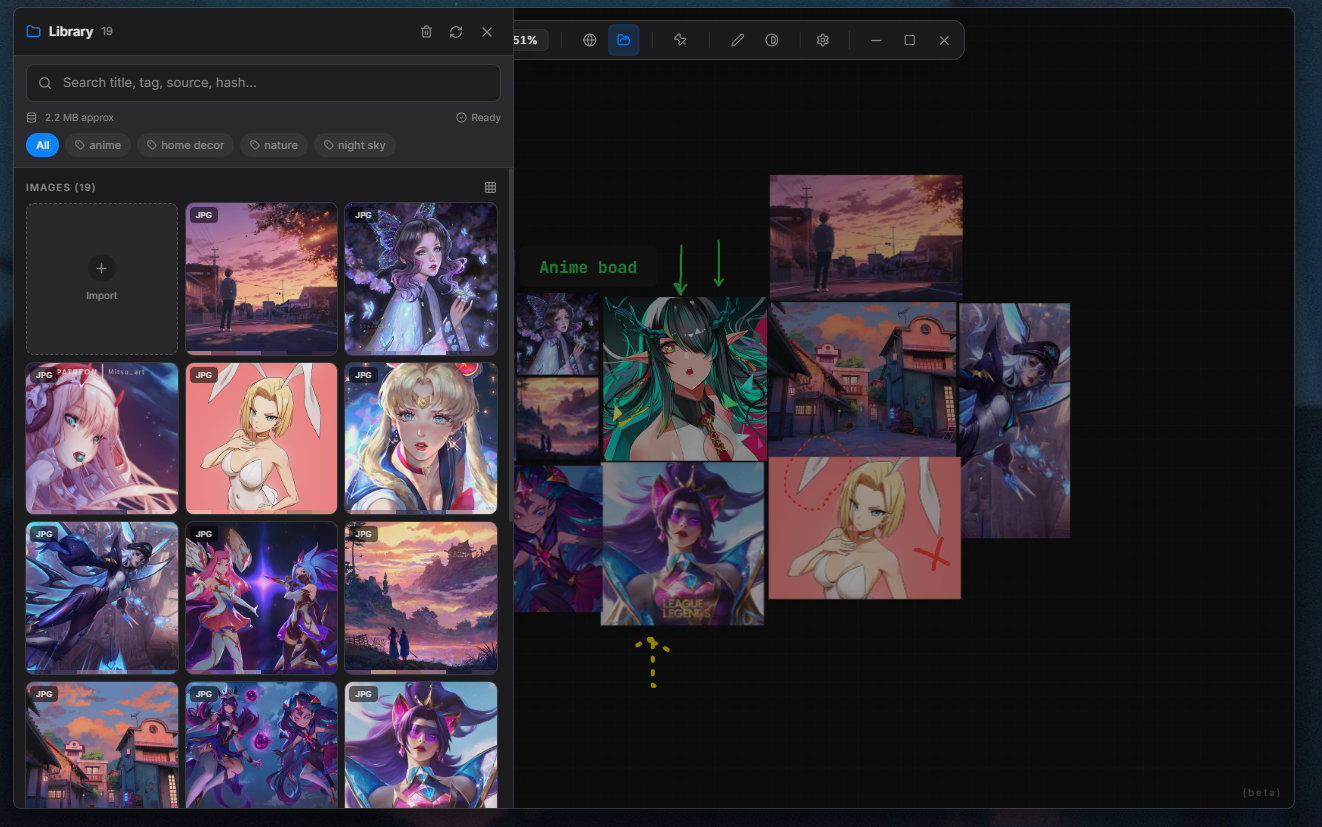
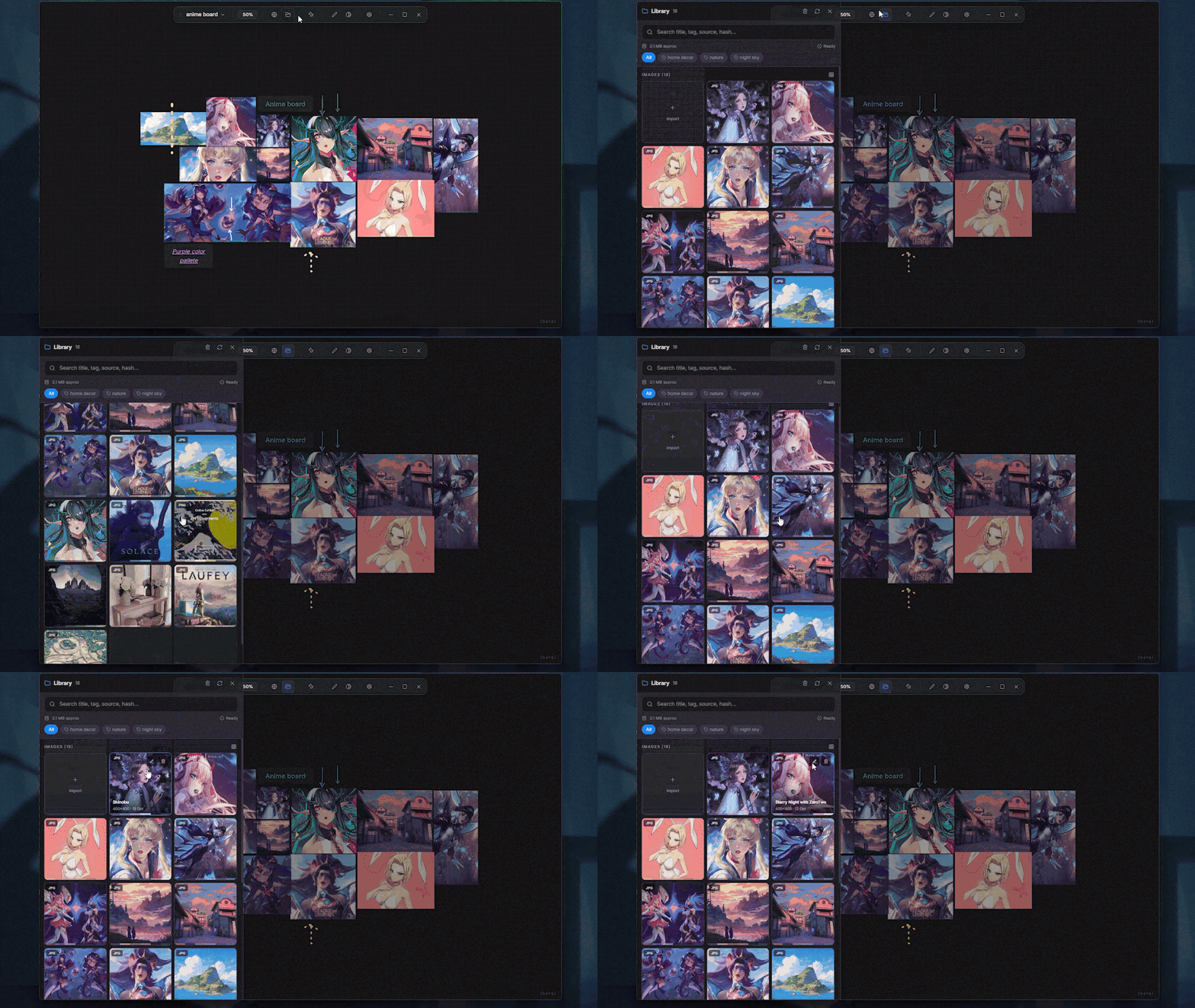
Asset library
Drag images in from your hard drive, tag them, search them, and place them straight onto your board. Color palettes are extracted automatically.
Annotations
Draw directly on top of your references. Mark proportions, trace shapes, and highlight what matters.
Study tools
Compare color and grayscale side by side, isolate a single image, and keep your references visible with always-on-top mode.
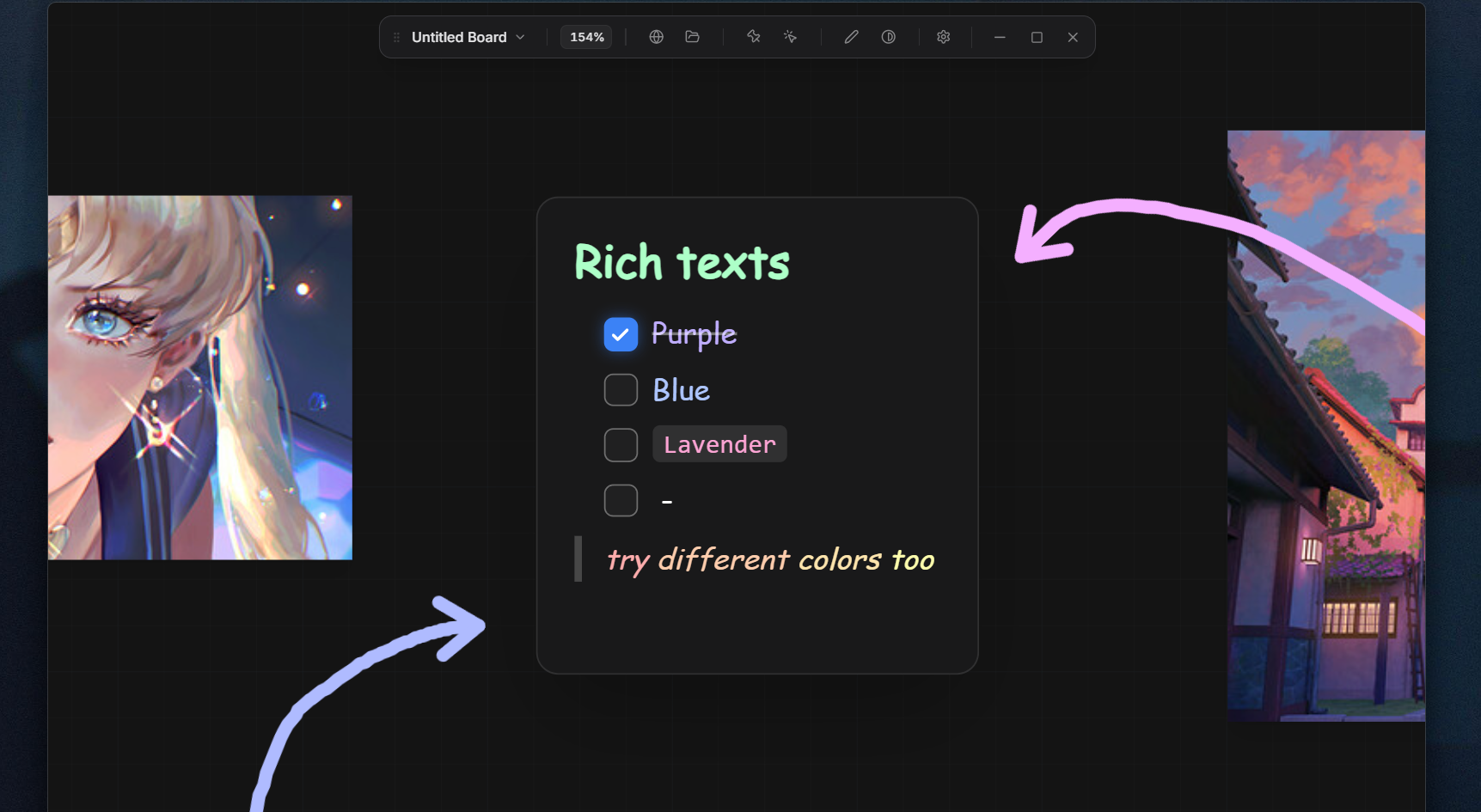
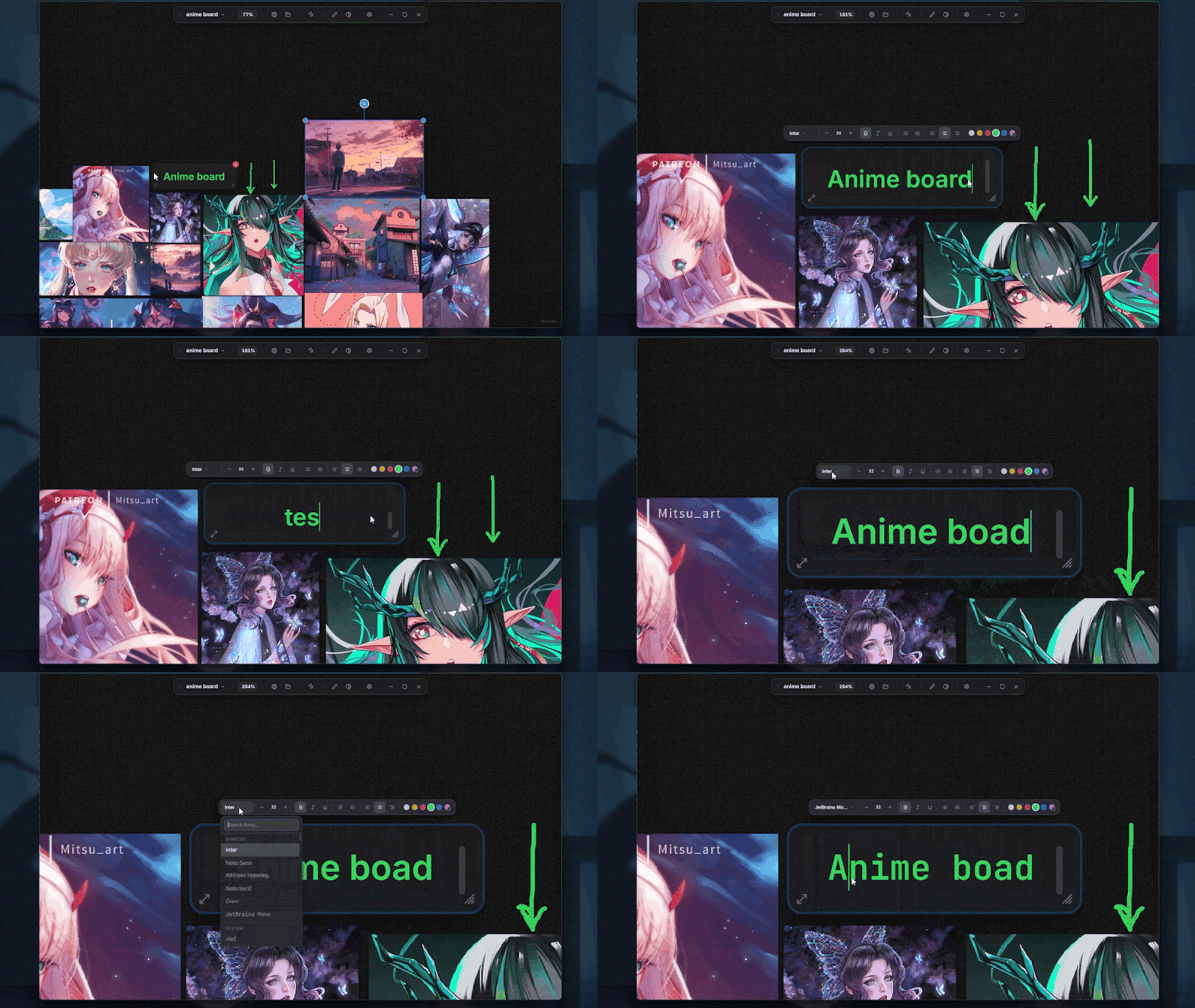
Text notes
Write directly on the canvas for reminders, observations, and visual notes.
One file, everything inside
Save your entire session as a single .lref file — images, layout, and notes included. Open it months later and it will be exactly where you left it.
Beta release
LumaRef is built by one person, so this is a beta. It works well on Windows and Mac, but there may still be rough edges, missing features, and the occasional crash.
Feedback helps shape what comes next. If you find a bug or have an idea, there is a Discord for that.
Price will go to $19 at v1.0. Beta supporters get a free upgrade key.
Links
Discord: https://discord.gg/2HgUux92e
Website: Lumaref - New Reference Board for Artists
Support: iamhemantx@proton.me
Purchase
In order to download this app you must purchase it at or above the minimum price of $9 USD. You will get access to the following files:
Development log



Comments
Log in with itch.io to leave a comment.
Few questions:
1) Is there a way to make the whole board transparent? It's a feature from pureref I use a lot in conjunction with "mouse click through" for lining up 3d models with concepts. The "click through" shortcut doesn't appear to currently work.
2) Is there a way to move the whole lumaref window/ viewport at once? I don't see a menu bar to drag or right click dragging.
3) Can annotations become objects as well that can be moved / grouped? adding an annotation to a selected image and having it follow the image would be a powerful feature.
Keep up the good work!
1. yes, I have this in my plan for future first stable release but haven't implemented it completely but you will soon see it.
2. yes, you can do it by a handle before the file name at toolbar. you can just drag it anywhere it should work.
3. yeah that seems to be an interesting idea I would definitely give it a thought and see how it turns out to be in my workflow and will discuss it here later.
btw thanx to hear support from you I hope you will use and test it and let me know if there is more to tell, it will help this to reach stable version. 🥂
Updated!!
you can read more about it here - https://iamhemant.itch.io/lumaref/devlog/1552394/lumaref-003-beta-rich-text-clic...